
Artwork preparation is an important step in custom printed packaging projects.
Correct file preparation helps reduce production issues, improve communication and support accurate printing results.
Before production begins, packaging suppliers usually need more than a design image. They need production-ready artwork that matches the packaging structure and printing requirements.
1. What Files Are Needed for Custom Packaging?
Custom packaging projects usually require several types of information and files.
Common requirements include:
- print artwork
- dieline / structural template
- product dimensions
- finishing requirements
Print Artwork
Production artwork is usually provided in professional design formats. Commonly accepted formats may include AI, PDF and EPS.
The appropriate format and file preparation requirements may vary depending on the project. Confirm the preferred format with the production team before supplying final files; a presentation image alone may not contain the information needed for printing.
Dieline
A dieline defines the structural layout of packaging before cutting and folding. It usually includes:
- cutting lines
- folding lines
- glue areas
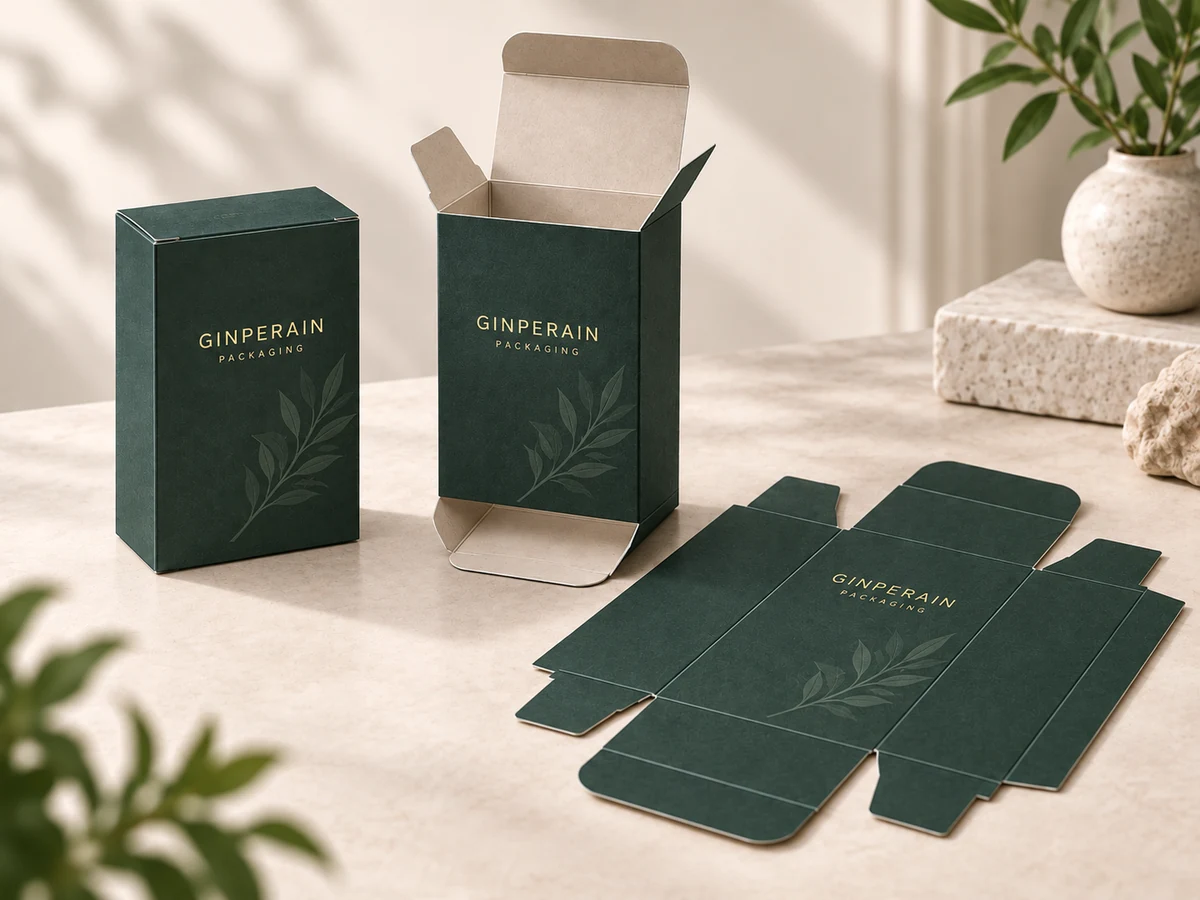
Packaging production combines graphic design with structural requirements. Artwork should be aligned with the confirmed dieline so that panels, folds and openings are considered together.
If the structure is still being selected, start with How to Choose the Right Packaging Structure for Your Product. The artwork layout for Folding Cartons differs from the presentation and wrapping requirements of Rigid Boxes.
2. Preparing Print-Ready Artwork
Review color settings, image quality and text before handing over artwork. These checks help the production team understand the intended result and identify details that need confirmation.
Color Mode: CMYK vs RGB
RGB is commonly used for digital displays, while CMYK is commonly used for commercial printing. Packaging artwork is typically prepared using print-oriented color settings.
A color viewed on a screen may appear different in print. Confirm the intended printing conditions and color settings with the production team rather than relying only on the screen preview.
Pantone Colors
Pantone colors may be considered when consistent brand colors are important. Identify any specified brand colors clearly and discuss how they will be handled for the chosen material and printing process.
A color reference helps communication, but does not guarantee identical reproduction across different materials, finishes or viewing conditions.
For a deeper comparison of process and spot-color approaches, read CMYK vs Pantone for Packaging Printing.
Image Resolution
High-resolution images help maintain print quality. Images at around 300 dpi at their intended print size are commonly used for professional print applications, although suitable resolution depends on the artwork and project requirements.
Check image quality at the size it will be printed. Enlarging a small image can make softness or visible pixels more noticeable.
Fonts and Text
Before production:
- review spelling, product information and all other text carefully
- confirm that the intended fonts are available and display correctly
- convert fonts to outlines where appropriate and as agreed with the production team
Keep an editable copy of the artwork so text can be revised if needed before final approval.
3. Artwork Considerations for Finishing Effects
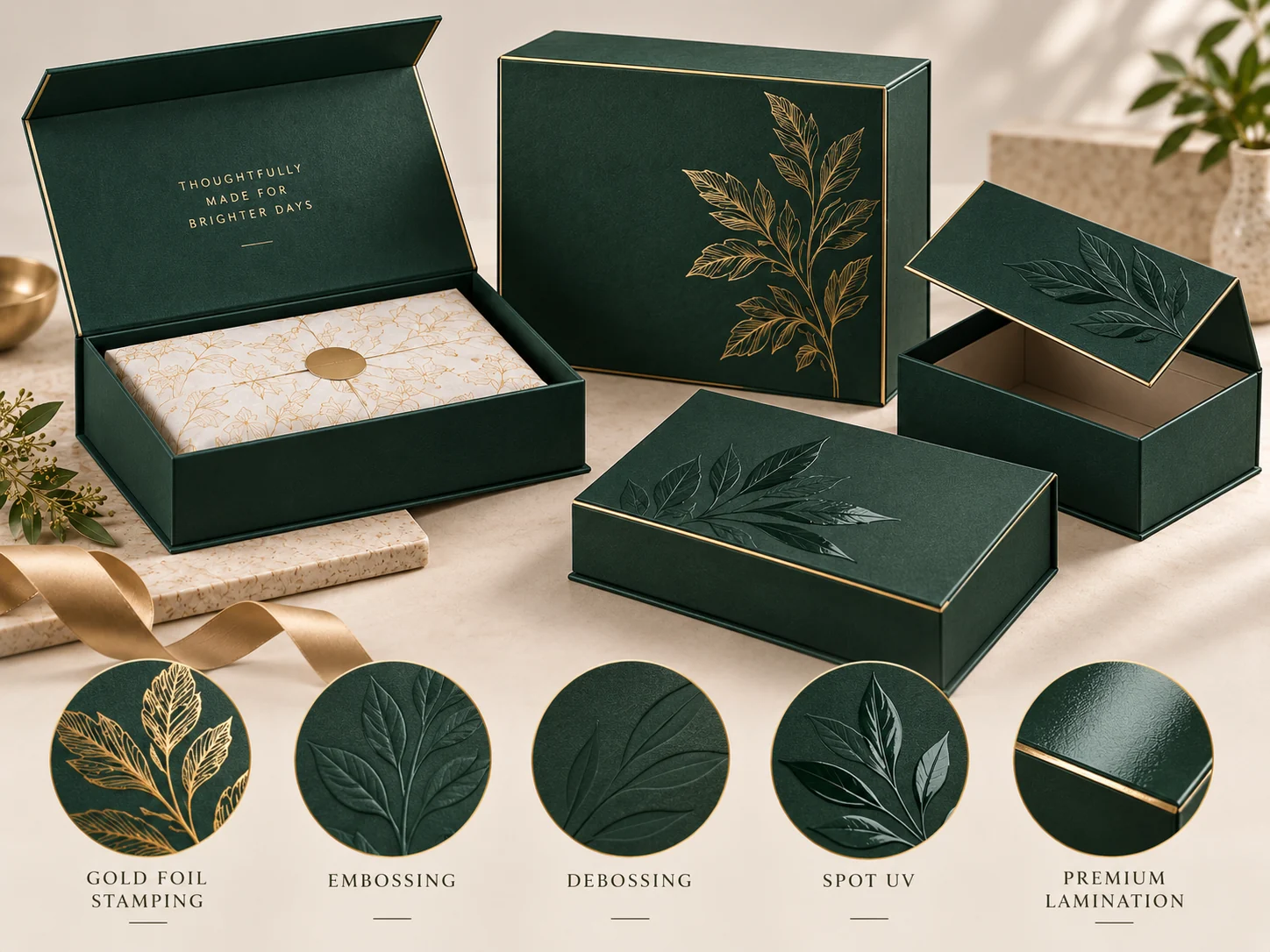
Finishing processes often require clear artwork instructions. Identify where each effect should appear and confirm how those elements should be supplied.
Foil Stamping
Foil areas are typically identified separately so production teams understand where the effect should be applied. Make the intended placement clear and confirm the selected foil appearance as part of the project review.
Embossing / Debossing
Raised or recessed effects require structural and placement confirmation. Identify the intended areas and discuss how they relate to folds, edges and other artwork elements.
Spot UV
Spot UV areas are usually prepared as separate artwork elements. Their position should be clearly identified so the effect can be reviewed alongside the printed design.
For related reading, explore the Printing & Finishing category.
To compare the visual roles of two finishing options before preparing their artwork areas, see Foil Stamping vs Spot UV: What’s the Difference?.
4. Common Artwork Problems to Avoid
Use the following checklist before supplying final artwork.
Missing Bleed
Bleed extends background colors or images beyond the trim edge to allow for cutting tolerance. Without it, small variations in cutting can leave an unintended unprinted edge. Confirm the required bleed with the production team rather than assuming one measurement applies to every project.
Incorrect Dimensions
Artwork dimensions should match the confirmed packaging structure. Check the latest dieline version and panel sizes before placing or approving the design.
Low Resolution Images
Low-resolution images can appear soft or pixelated when printed, particularly after enlargement. Review the original image files at their intended output size.
Unclear Finishing Instructions
Special effects should be clearly identified. Avoid relying on a visual mockup alone to explain which areas require foil, embossing, debossing or Spot UV.
- Confirm bleed against the production instructions.
- Check artwork dimensions against the approved structure.
- Review images at their intended print size.
- Identify every requested finishing effect clearly.
5. How Artwork Review Works With a Packaging Manufacturer
A practical review can follow these four steps:
- Check packaging dimensions. Confirm product and packaging measurements before finalizing artwork.
- Confirm dieline alignment. Check that the design follows the agreed structural template and panel orientation.
- Review colors and finishing requirements. Identify brand-color references and the placement of any special effects.
- Prepare production-ready files. Supply the agreed file formats and resolve open questions with the production team before approval.
Artwork review supports clearer communication, but it does not replace careful checking and approval of the final files.
Conclusion
Preparing artwork correctly helps make custom packaging projects smoother.
If you already have artwork, share your files and packaging requirements.
If you are still developing the packaging concept, our team can help evaluate suitable options.